
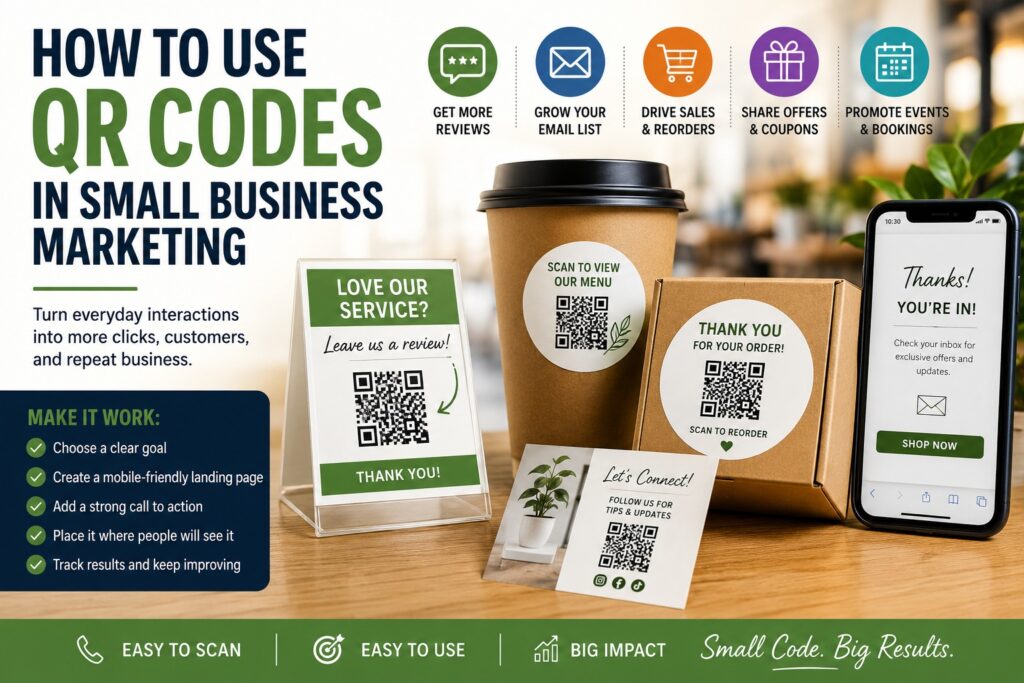
TLDR
- QR codes make it easier for customers to take action right away.
- Small businesses can use QR codes for reviews, menus, payments, coupons, product info, signups, and reorder links.
- The best QR code marketing is simple, clear, and tied to one goal.
- A QR code should always lead somewhere useful, fast, and mobile-friendly.
- Placement matters. A good QR code in the wrong spot will still get ignored.
QR codes went from feeling optional to feeling normal. Now people scan them at restaurants, events, storefronts, trade shows, product packaging, and checkout counters without thinking twice.
That makes them useful for small business marketing. A QR code gives people a fast next step. Instead of hoping someone types your website later, looks up your social media, or remembers your review page, you can let them scan and act in the moment. That is the real value. QR codes reduce friction.
If you want to know how to use QR codes in small business marketing, the short answer is this: connect the code to something specific, make the action worthwhile, and place it where people will actually see it. The businesses that get the best results are not using QR codes as decoration. They are using them with a purpose.
What Is a QR Code in Marketing?
A QR code is a scannable image that opens a link or triggers an action on a phone. In marketing, that action might be visiting a website, leaving a review, claiming a coupon, joining an email list, following a social page, viewing a menu, or buying a product.
The code itself is not the strategy. It is just the shortcut.
What makes QR codes useful is that they bridge offline and online marketing. A person can see your sign, package, sticker, flyer, booth display, postcard, or product label in the real world, then go straight to a digital action without typing anything.
That is a big deal for small businesses because it makes printed materials work harder. A business card does not have to stop at contact details. A package insert does not have to stop at a thank-you note. A booth sign does not have to stop at “learn more.” A QR code can turn each of those pieces into an action point.
Start With One Clear Goal
Before making a QR code, decide what you want it to do.
This is the most important step. A lot of QR code marketing fails because the code is added first and the purpose is added later. That usually leads to weak results.
A QR code should have one main job. That job might be:
- Get Google reviews
- Send people to your menu
- Collect email signups
- Share a coupon
- Link to your online store
- Show product instructions
- Drive traffic to a booking page
- Make it easy to reorder
- Share an event registration form
- Collect giveaway entries
- Open your social media page
Pick one. If the code tries to do too much, people are less likely to scan it, and the landing page becomes less useful.
For example, a restaurant might use one QR code on the table for the menu, another on the receipt for reviews, and another on a flyer for catering inquiries. A product-based business might use one on packaging for reorder links and another on event materials for a giveaway. Different goals can use different codes.
Simple works better than crowded.
Send People to a Mobile-Friendly Destination
A QR code is only as good as the page it leads to.
If someone scans the code and lands on a slow website, a cluttered homepage, or a page that is hard to use on a phone, the QR code has already done its job and the rest of the system has failed. That is why the destination matters as much as the code itself.
Your landing page should be:
- Fast to load
- Easy to read on a phone
- Focused on one action
- Clear about what happens next
- Free of unnecessary distractions
If the QR code is for reviews, send people directly to the review page. If it is for a coupon, send them straight to the offer. If it is for a menu, do not send them to the homepage and make them search around.
A good rule is this: after someone scans, they should know within two seconds that they are in the right place.
Best Ways Small Businesses Can Use QR Codes
There is no one best use for every business. It depends on how you sell, where customers find you, and what kind of follow-up matters most. Still, a few uses tend to work especially well for small businesses.
Get More Customer Reviews
This is one of the easiest and most useful uses for QR codes.
If a customer has a good experience, make it easy for them to leave a review right away. Put a QR code on packaging, receipts, thank-you cards, signage, countertop displays, or service follow-up materials.
This works well for:
- Restaurants
- Salons
- Coffee shops
- Contractors
- Retail stores
- Event vendors
- Fitness studios
- Pet businesses
- Auto services
The key is context. The code should be paired with a short message like:
- “Enjoyed your visit? Leave us a quick review.”
- “Love your order? Tell us how we did.”
- “Your feedback helps our small business.”
That little bit of guidance matters. A bare QR code gets ignored more often.
Share Menus, Service Lists, or Product Catalogs
QR codes are great for information people may want in the moment.
Restaurants can link to menus. Service businesses can link to a service list. Retail brands can link to a current product catalog. Event vendors can link to pricing sheets or custom order forms.
This is helpful because it keeps your printed materials simpler. Instead of trying to cram every detail onto one sign or flyer, you can use a short summary and let the QR code do the rest.
Collect Email Signups
Email is still one of the best long-term marketing tools for small businesses. QR codes can help you grow that list in person.
Use a QR code at:
- Checkout counters
- Trade show booths
- Farmers markets
- Pop-up events
- Waiting areas
- Packaging inserts
- Community boards
Give people a reason to sign up. A generic “join our newsletter” is fine, but an offer like “scan for 10% off your next order” or “scan to get event updates and special offers” usually works better.
Offer Coupons or Promotions
QR codes can be a simple way to connect physical traffic with digital promotions.
For example:
- A boutique can put a QR code in the fitting room for a first-time discount
- A booth can use one for a giveaway or promo code
- A bakery can place one on a postcard for a seasonal order special
- A service business can use one on a flyer for a free consultation offer
A QR code is especially useful when you want to track a physical campaign. If the code links to a specific landing page or promo code, you can measure how many people actually scanned and responded.
Make Reordering Easier
This is one of the most practical uses for product-based businesses.
If you sell coffee, candles, supplements, tea, skincare, pet treats, sauces, or any item people may buy again, a QR code on the packaging can lead customers straight to the reorder page.
That removes a lot of friction. Instead of hoping they remember the website later, the product itself becomes the reminder.
For packaging-based businesses, this can work especially well with branded labels or stickers. If you want the code to look more polished on boxes, bags, pouches, or containers, custom roll labels can help you apply a repeatable QR code system without redesigning every package.
Link to Social Media or Content
A QR code can also support content marketing. You can use one to send customers to:
- TikTok
- YouTube
- A blog post
- A how-to video
- A setup guide
- A customer gallery
- A seasonal campaign page
This works best when the content helps the customer or makes the brand more engaging. It works less well when it feels random. Give people a reason to care.
Best Places to Put QR Codes
Placement matters more than many businesses expect.
A QR code should be easy to notice, easy to scan, and connected to the right moment in the customer experience.
Good places include:
- Product packaging
- Thank-you cards
- Flyers
- Posters
- Storefront windows
- Checkout counters
- Menus
- Table tents
- Event booth signs
- Business cards
- Brochures
- Shipping inserts
- Service folders
- Appointment reminder cards
- Receipt printouts
For physical products, QR codes often work well on packaging stickers because they can be added without changing the whole package design. For example, a small brand might place a reorder or review QR code on custom stickers applied to mailers, sample packs, or inserts.
Avoid placing QR codes where people will struggle to use them, like on curved surfaces that distort the code, on tiny labels with no room to breathe, or on signs far above eye level. If people have to work to scan it, many will not bother.
How to Design a QR Code So People Actually Use It
A QR code does not need to look flashy. But it does need to be usable.
Here are a few good rules:
- Keep enough white space around the code
- Make sure the contrast is strong
- Do not make it too small
- Test it from a realistic scanning distance
- Pair it with a short call to action
- Do not crowd it with too much text
- Make sure the destination works on mobile
The call to action is a big one. Tell people what they get when they scan.
Better examples:
- “Scan to leave a review”
- “Scan for 10% off”
- “Scan to view the menu”
- “Scan to reorder”
- “Scan to book your appointment”
- “Scan to enter the giveaway”
Worse example:
- “Scan me”
That is not wrong, but it is not persuasive.
Track Results So You Know What Works
One reason QR codes are useful is that they are measurable.
If you use separate QR codes for separate campaigns, you can see which one performs better. That helps you learn what messaging, placement, or offer is worth repeating.
You can track QR code results by linking each code to:
- A dedicated landing page
- A specific coupon code
- A review link
- A sign-up form
- A product page
- A campaign URL
This makes it easier to answer questions like:
- Are booth visitors scanning the giveaway code?
- Are packaging inserts generating repeat orders?
- Are the review cards getting responses?
- Are local flyers driving traffic?
- Does one offer outperform another?
That kind of tracking helps you make better decisions instead of guessing.
Common QR Code Mistakes to Avoid
QR codes are easy to use, but there are still a few common mistakes.
Sending people to the homepage
This makes the scan less useful. Send them to the specific action page instead.
No call to action
A QR code without context often gets ignored.
Tiny or hard-to-scan codes
If the code is too small or low contrast, it becomes frustrating.
Linking to a bad mobile page
This is one of the fastest ways to waste the scan.
Using one code for too many jobs
Separate goals usually deserve separate QR codes.
Not testing the code
Always test the code on multiple phones before printing.
Putting the code where no one will use it
Good placement is part of the strategy.
QR Code Ideas by Business Type
Here are a few simple examples.
| Business Type | Good QR Code Use |
|---|---|
| Restaurant | Menu, catering inquiry, review request |
| Salon | Booking page, review request, loyalty signup |
| Retail shop | Online store, discount offer, Instagram page |
| Contractor | Quote request form, service page, customer reviews |
| Fitness studio | Class schedule, free trial signup, waiver form |
| Event vendor | Giveaway entry, catalog, booking inquiry |
| Product brand | Reorder page, usage guide, review request |
| Real estate agent | Listing page, neighborhood guide, contact form |
The code should match the customer moment. Someone standing at a booth may be more likely to scan for a giveaway. Someone opening a package may be more likely to scan for a reorder or review.
A Simple QR Code Marketing Plan
If you are new to QR code marketing, keep it simple.
Step 1: Choose one goal
Pick the one action that matters most right now.
Step 2: Build the landing page
Make sure it is clear and mobile-friendly.
Step 3: Create the QR code
Use a version that is clean and easy to test.
Step 4: Add a call to action
Tell people exactly what happens when they scan.
Step 5: Place it where it makes sense
Use the code in the part of the customer experience where the action feels natural.
Step 6: Track scans or results
Measure what the code is doing.
Step 7: Improve the offer or placement
If one version underperforms, adjust it.
A small business does not need ten QR code campaigns at once. One useful code used well can do more than five random ones.
Conclusion
QR codes are one of the simplest ways to make your small business marketing more useful. They help connect printed materials, packaging, signs, and in-person experiences to real digital actions.
The best QR code strategy is not complicated. Start with one goal, use a mobile-friendly landing page, give people a clear reason to scan, and place the code where it fits naturally. Then track the results and improve from there.
Done well, a QR code does not feel like a gimmick. It feels like convenience. And convenience is often what gets the customer to take the next step.